Green Screen Wizard is powerful green screen software for photographers that is
inexpensive and simple to use. Green Screen Wizard Photoshop PlugIn wraps the
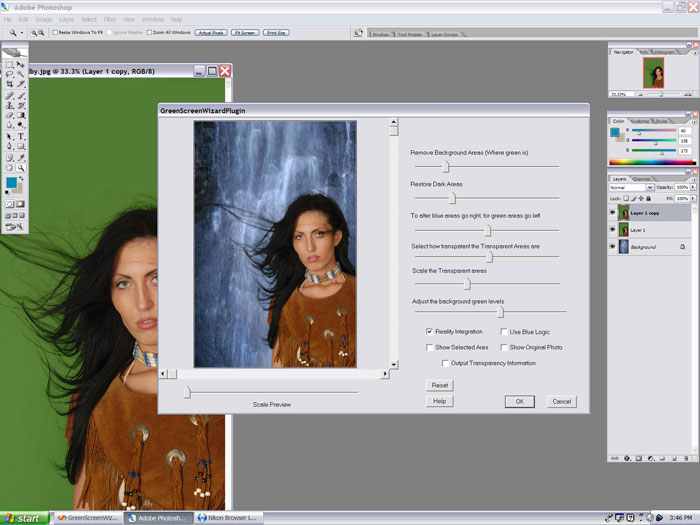
Green Screen engine in a Adobe Photoshop PlugIn interface. The advantage of
using Green Wizard inside of Photoshop is that you can take advantage of all of
the Photoshop editing capabilities. In addition, Photoshop can read and save
many more file formats than the Green Screen Wizard standalone. The plugin also supports 16bit images.
The plugin can be used to do Sandwich overlays and also the more advanced
Magazine Covers.
A lot of people ask which is better for me “The Plugin” or the “Green Screen
Wizard Pro”. I point out that if they buy the Plugin the can buy can use their serial number as a discount coupon and buy Green Screen Wizard Pro for only $49.95!
<
So be creative and get the best possible Green Screen results. Buy the Photoshop Plugin.
 Buy Now PC $149.95
 Buy Now Mac $149.95
Green Screen Wizard Photoshop PlugIn relies on Photoshop
for all image modifications, so the interface only deals with green screen
removal.
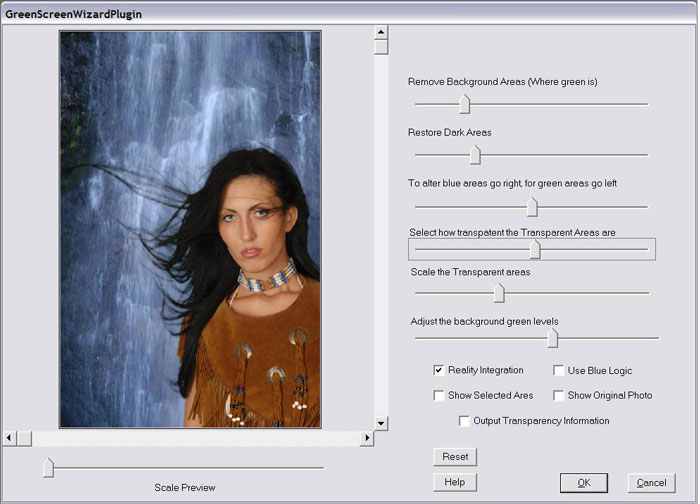
The plugin can merge the foreground and the background together as shown here:
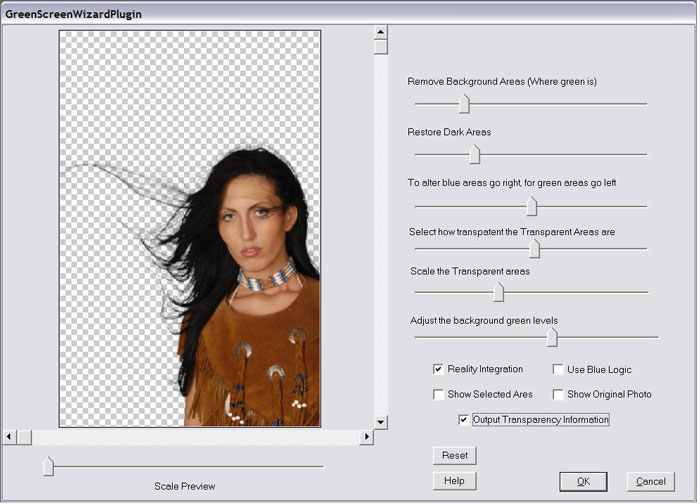
Or it can be used to create images with transparent backgrounds as shown here:
 Key program features and benefits
|
Feature
|
Benefit
|
|
A plugin that runs inside of Adobe Photoshop
|
You can use all of the image editing capabilities
of photoshop
|
|
Simple User Interface
|
Easy to use interface lets anyone use the
program
|
|
Supports transparent images
|
Will create a transparent image from original
Green Screen image
|
|
Supports both Green and Blue backgrounds
|
Allows you choose the color of the background
that will best suit your work
|
|
Controls for giving Green Screen Wizard
information on how to best remove the green
|
Enables you to fine tune the Green Screen
removal process
|
|
Can work with three layers
|
This makes editing easy as the middle layer can
be erased to remove parts of the green screen that you do not want in the photo
and the top layer can be erased to put back items that the software may have
taken out
|
|
Remove dark or inconsistent areas from green
background
|
This lets you use less expensive Green Screens
|
|
Edge Blending
|
Makes the final photos look more natural. The
plugin works with two layers to stitch together a complete image in thier layer
|
|
Works with more image formats
|
The plugin supports any format that Photoshop
can read. At it supports 8bit and 16bit RGB images.
|